Home Articles Forums Gallery Marketplace Videos

WoodCentral Forums

Knowledge You Can Build On — Est. 1998

Premium Domestic, Figured & Live Edge Hardwoods in Stock. Best Prices for Serious Woodworkers.

Trent Bosch Visualizer

Posts

Trent Bosch Visualizer

#1

Trent Bosch Visualizer

Dale Bonertz

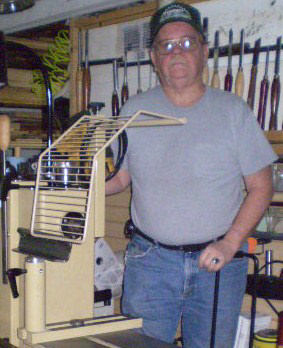
I spent last week Saturday at Dan Bailey's playing with his visualizer made by Trent. Dan is having a blast with it and quite frankly he doesn't need the tool for hollowing, he is very skilled. I can say the tool is a lot of fun. It assists in the hollowing but doesn't take any of the creative side out of the process. To me there is no difference in looking at the visualizer screen versus looking across the profile (on the outside of a form) rather than the cutting edge while making a cut. You can't see the cutting edge inside a vessel anyway so why not look at a screen to see where your cutter is on the inside.

The tool is solid and has the ability to hold several different sized tools 3/8", 1/2", 3/4" and maybe more. It is extremely easy to use and moves on the articulating arm effortlessly. It is also very easy to set up since it uses the lathes banjo. Dan uses magnets on his screen rather than the mounts that came with it and they work great. Leave the screen set up and unplug and remove the tool and keep on turning. It couldn't be more simple and user friendly.

As I was using the tool it occurred to me that anyone who teaches hollowing to students (even if the students desire is to learn free hand hollowing) is foolish to not use this tool to start them out. It helps so much to see where the cutter is (builds confidence) and then the student can concentrate on the feel of the cut and the order in which to cut. In addition it forces the turner/student to place the cutter in the proper position for hollowing. What a learning and teaching tool. I think, if your a hollow vessel turner, that once you use this tool you will say why do I want to free hand or use a laser. It is that comfortable to use. If you ever get a chance to use one, take it and I think you will come to the same conclusions.

In conclusion I have no affiliation with Trent's business. I do know Trent as we work together for our annual symposium and he belongs to our club. I plan on purchasing this tool when I can scrape together the pennies to do so. It is awesome and fun to use.
Re: Trent Bosch Visualizer

#2

I agree completely, except

Dick Coers

I don't understand the pricing of the visualizer. It's a crazy easy DIY project and I have $20 invested in mine.

Re: Trent Bosch Visualizer

#3

Harry Robinette

Re: I agree completely, except

Harry Robinette

Ok Dick now let's have a diy for the one's of us that don't understand, I for one would be very grateful for a how to if you can.

Re: Trent Bosch Visualizer

#4

Aage Rendalen

Visualiser: What kind of principle is it based on?

Aage Rendalen

Is it based on some mini-"GPS" identification of the cutting tip?

Re: Trent Bosch Visualizer

#5

Re: I agree completely, except

Dick Coers

No principles, nothing fancy, no software, no magic. If you fasten a camera above your hollowing bar, and that relationship between the camera and cutter is fixed, you can sketch a picture of the tool on the screen of your monitor, and that drawn picture "appears" to move with the cutter. Your cutter goes into the vessel and your camera doesn't see it. You will see that drawing you made around the cutter, because that camera, the cutter, and that sketch always stay together. They are fixed together. It takes a bit of trust, but that is what happens. I've even seen where a guy used a web cam. You just need to mount it above the cutter, just exactly like we did a laser. I chose an endoscope camera, because it fit right into the laser holder I had. The part I like is that I can cut into a small opening on the side of the cutter, go to the tip of the cutter on the side of the vessel, and then go to the other side of the cutter on the bottom, without moving, or adjusting anything. You know where the entire cutter is at all times. Here is a picture of a red oak vessel I did. I photographed it with a flashlight in the 1" opening. Not great focus, but you see the equal wall thickness. 6" diameter vessel, turned green. Edit; I've never seen Trent demonstrate his system. I watched his youtube video, talked a little on-line to some guys, then found a $14 camera that I wanted to try. I got a free clunker laptop from a friend, so a stupid cheap experiment.So if it didn't work, because I really didn't fully understand it, I would be out $14. Bought it, tried it, BOOM, worked like a charm!


Re: Trent Bosch Visualizer

#6

Re: Visualiser: What kind of principle is it based

John Lucas

no it's purely based on the relationship of the camera to the cutter. It's very similar to using the laser in terms of the relationship of the camera to the cutter or laser to the cutter. The difference is you draw a line around the cutter for the wall thickness you want. Then when you place the cutter inside the vessel the only thing you (the camera) sees is the vessel but there is a drawing on the screen that shows you the location of the cutter. As you move the cutter the drawing moves and you simply cut where you need to. As the line around the cutter gets to the edge of the vessel you have reached your wall thickness. Since you drew a line all the way around the cutter you can go anywhere in the vessel without having to readjust anything like you would have to do with the laser.

It's very hard to explain but really cool how it works. I have a mini camera but haven't had the time to build the rest of the system yet. It may be awhile since I'm trying very hard to move and may be without a shop for a while.

Re: Trent Bosch Visualizer

#7

I thought I heard that somewhere, LOL


Re: Trent Bosch Visualizer

#8

Aage Rendalen

How does the cutter interact with screen?

Aage Rendalen

I can see the advantage of this over laser, where you have to worry about a perpendicular reading. With Bosch's system, how does the position of the cutter get transposed to the screen?

Re: Trent Bosch Visualizer

#9

Re: How does the cutter interact with screen?

John Lucas

Before you put the cutter inside the vessel you simply draw a line around it on the screen. I forget whether you need to put plastic over the screen or just us a certain type of marker than can be erased later if you change cutters. Probably not quite as accurate as the JT tools photo version but far less expensive.

Re: Trent Bosch Visualizer

#10

Re: How does the cutter interact with screen?

Dale Bonertz

You can draw on the monitor with a special type of marker.

Re: Trent Bosch Visualizer

#11

Re: I agree completely, except

Dale Bonertz

As I mentioned on the other site Dick, his is fairly priced. By the time people buy and old laptop monitor (which may go bad quickly) and the camera and make the mounts for camera, monitor and connections to your favorite articulating system and etc. the cost is fair on Trent's system. Not saying there may be some satisfaction of making your own but when buying a already to go kit the cost is fair. He has also worked out any potential bugs the DIY may encounter.

Re: Trent Bosch Visualizer

#12

A grease pencil or dry erase marker

Dick Coers

on an acetate or mylar type screen overlay. I tape acetate over the screen, and use a fine tipped dry erase marker on mine.

Re: Trent Bosch Visualizer

#13

Re: Trent Bosch Visualizer

Stuart Johnson

I just watch Trent's video and still don't understand how this works. I think it might be one of those things you need to actually see the whole process. His video shows using it but doesn't explain what is happening.

Re: Trent Bosch Visualizer

#14

Re: Trent Bosch Visualizer

Dick Coers

What you don't see in the video Stuart, is the line he has drawn around the tool. It's too dark in the video to see that those lines are already there, drawn on the overlay on the screen, surrounding the tool. Those lines are always moving around with that cutter in the video. Until the tool moves inside the vessel, then all you see are the lines. Think about the camera and the tool not moving in relation to each other. Would you think the tool would move around, but the camera doesn't move? Of course it doesn't. Next, imagine all three of those fixed, and you are moving 3 fixed elements together. That's about the best I can do to describe it. It takes a little blind faith I guess, and about $20 for an endoscope camera if you already have a laser mount, a shelf to sit your monitor on, and a computer. After that experiment, you can get a used laptop that needs a plastic covering to keep out the dust, or spend the much bigger money and buy the system. I disconnect my camera, and move my computer out of the way if I'm going to sand. Otherwise, I expect it to live a long time around just the green wood shavings of turning with a plastic sheet covering the computer keyboard.

Re: Trent Bosch Visualizer

#15

Re: Visualiser: What kind of principle is it based

Craig Daymon

GPS, even at the military level, is not down to the precision required for hollowing. That being said, I think Dick Coers presents an idea that is probably much closer to how it works. (Or presents an idea that should work as well.) Though, the image he gives does nothing for me to show that he has a working system.

Re: Trent Bosch Visualizer

#16

Aage Rendalen

Okay, did I get this right?

Aage Rendalen

1. When you turn on your camera, it will project a plan view of your blank onto the monitor.

2. When you lock the position of the camera so that it is fixed on the cutter, the camera will show you, on the monitor, where the cutter is.

3. Put an overlay on the monitor and draw a circle around the cutter, a circle that indicates wall thickness. This circle stays fixed on the monitor.

4. On screen, the only thing that "moves" is the vessel. The vessel is fed into a fixed point, so to speak.

PS. It seems to me that it should be possible to make a small dot on the camera lens to mimic a laser dot. Or will that be too inexact with respect to wall thickness?

Re: Trent Bosch Visualizer

#17

Re: Trent Bosch Visualizer

Barry Irby

I have never seen one of these, although I did watch Trent's on YouTube.

I understand that the cutter and camera are locked together and move together, but I can't get it straight in my head how tracing the cutter or drawing a circle around it has nay thing to do with anything. Why does the circle or tracing move with the cutter/camera?

Seems to me to be like drawing a tracing around your image in a mirror and expecting it to move with your image.

Re: Trent Bosch Visualizer

#18

I've shown it on WoodCentral before

Dick Coers

And we've had all these I can't understand the system discussions before as well.

http://www.woodcentral.com/woodworking/forum/turning.pl/pro/search/pmd/sread/srchid/6458Wgko58Ad225eHK11421086392/spage/1/sanc/481610/sbid/2000/md/read/id/481631/sbj/pic-of-laptop-screen/

http://www.woodcentral.com/woodworking/forum/turning.pl/pro/search/pmd/sread/srchid/6458Wgko58Ad225eHK11421086392/spage/1/sanc/481610/sbid/2000/md/read/id/481607/sbj/about-to-go-optical-with-my-hollowing/

Re: Trent Bosch Visualizer

#19

Sorry Barry, I can't describe it any better. 


Re: Trent Bosch Visualizer

#20

Re: Okay, did I get this right?

Dick Coers

You've got it. The dot would not work. You have focal distance, monitor size and resolution, and the plain difficulty of finding the spot and placing a dot upside down on a little glass lens. My camera lens is only about 1/2" diameter. The camera also has 4 LEDs around it if you need more light. They are variable intensity. Crazy you can buy a camera with 4 adjustable LEDs, 5 meters of cord, shipped free to your house, for $13.99.

Re: Trent Bosch Visualizer

#21

Re: Okay, did I get this right?

John Jordan

Dick, I have no idea what you are trying to describe, but its clearly different than Trent's rig. Can you show us with a couple of pics?

Where can you get the 14.99 camera?

Thanks,

JJ

Re: Trent Bosch Visualizer

#22

As Ricky would say, I've got some "splainin" to do *LINK*

Dick Coers

Because I thought the systems were identical. I am comparing to his Visualizer, not his tool support system. I've never shown my entire system since I didn't want to be the one to "out" how to hack his system completely. You can see a couple of pictures on the link I posted earlier when it was called into question if I even had an operating system. Camera link below. Heck, I liked the idea of this camera to do exploratory looking into house walls for wiring or plumbing trouble. If you do a little more looking on Ebay, you will see smaller diameter ones that are meant to go into spark plug holes.


5M USB inspection camera

Re: Trent Bosch Visualizer

#23

Re: I've shown it on WoodCentral before

Craig Daymon

I understand full well the approach of the Bosch system. I can probably implement the software required to image the turning and the tool, capture both objects and map the tool to the motion of the camera.

That being said, in none of the pictures you have presented is the tool clearly shown to indicate where it is relative to the wall of the vessel. THAT is what makes this whole approach of any value. If you are simply presenting an overhead view of the vessel, that has been done in probably every single AAW turning group nationwide and the setup has been described in the AAW Journal.

I never said I didn't understand what was going on, I said I didn't see what you were attempting to show us in your images. An overhead shot? Big deal.

Re: Trent Bosch Visualizer

#24

I don't understand your demands Craig

Dick Coers

My system is identical to Trents. I'm not going to make a Youtube video just to show you, others seem to trust that I am saying, evidently, you do not. We've never met, sorry that I come across as untrustworthy to you. I'll let it go at that, I'm just confused and baffled at your responses! If you care to look further in that posting I referred to, you will see a picture of my cutter outline on the screen of the laptop as well. I doubt if it will make any difference to you though.

Re: Trent Bosch Visualizer

#25

I forgot to mention Craig

Dick Coers

I've shown it to the membership at the Central Illinois Woodturners, and will be doing a full demo on Feb. 9th. Your welcome to ask anyone there, or even come for an evening of fellowship with our AAW Chapter if you would like to see it in action.