Turning Exchange Sent
George Van
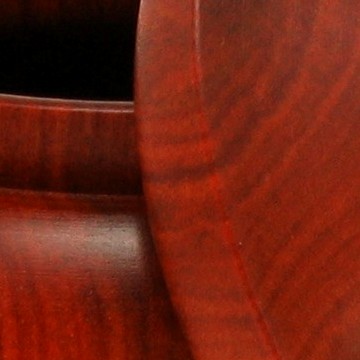
>I sent out my exchange piece today. It is yellow birch, 10.75"x4".
Knowledge You Can Build On — Est. 1998
Turning Exchange Sent
George Van
>I sent out my exchange piece today. It is yellow birch, 10.75"x4".
Re: Turning Exchange Sent
Jennifer@Indy.USA
>George, this is a stunning bowl. Your recipient is going to be jumping for joy when they get this! Your bowls are always a fantastic source for inspiration me. Your forms and rim treatments are fabulous.
Jen
Re: Turning Exchange Sent
Cyril Griesbach
>Wow, George. That's one fantastic bowl. Beautiful wood, perfect form and finish.
Cyril
Beautiful!!!
Mike Stafford
>

George, that's stunning!
steve antonucci
>I'm hoping it's Jersy bound... still haven't seen my piece!
Steve
Re: Turning Exchange Sent
Carol from AZ
>Gorgeous bowl. And great picture. Wanna give lessons on putting all three views in one? Make a great archives article! :)
Re: Turning Exchange Sent
George Van
>I appreciate the compliment Jennifer, especially after seeing all your recent postings . they make we want to start trying to burn but then I remember I have never advanced above stick people! I like turning the yellow birch as we have a large stand of them on the property and the heartwood makes me think of cherry.
Re: Turning Exchange Sent
George Van
>Thanks for the nice words Cyril, Steve, and Mike.
Re: Turning Exchange Sent
George Van
>Thanks Carol. I use ACDSee for the imaging program. I open the main photo in image editor after sizing the smaller photos to the size I want. Then it is a simple matter to edit/copy the smaller images and then right click/paste and then drag them into position on the main larger image. I am sure that the system is similar in a lot of the imaging programs. Some may even be simpler than ACDSee.
I was told if you use Photoshop Elements 2.0 and you have selected a number of pictures, say two ( or more ) on your screen, it is a matter of just hitting the "Create Photomerge" key from the "File" menu. If the borders match or if you have taken a panoramic shot with your camera the merge will happen automatically . If not, you will be prompted to stitch the photos together as you like them to appear.
Others told me in Photoshop,
1) Open Photoshop and bring in the two photos (files) that you want to merge into one.
2) With the two original photo open in Photoshop, resize each photo using Image/Image Size from the top toolbar. Generally choose a convenient size such as 800 pixel wide x 600 pixels tall. Use the cropping tool rather than the resize function whenever possible. Resizing changes pixels and cropping doesn't. They would not do anything that changes pixels until they had to and would do it as few times as possible.
3) Go to File/New on the tool bar and open a new file in which you will place the two original files. Size the new file such that the two original files will fit the new image. For example if the two original files were 800 pixels x 600 pixels, make the new file 800 pixels wide x 1200 pixels tall if you want them stacked vertically. Make the new file 1600 pixels wide x 600 pixels tall if you want to place the two originals horizontally.
4) Now, select the "Move Tool" from the left hand tool bar and just drag and drop the two original pictures into the new merged picture. If you did all of your resizing correctly, they should neatly fit into the new file.
5) If you wish, you can now resize the new "merged" photo by going to the top tool bar and selecting Image/Image Size.
6) Save the new merged file and you are ready to go.
It much easier to do than to explain. After you have done it once, it will be easy. Others may have easier ways than these, I am far from an expert.
Re: Turning Exchange Sent
Carol from AZ
>Thanks, George.
It is so much easier to appreciate your art when one doesn't have to click through separate pictures.
Me too! Great bowl, George!
David
>
Gorgeous
Jason Clark
>It looks wonderful. Almost stonelike, specifically alabaster, much like Max Krimmel's work.
Great job.
Jason
Re: Turning Exchange Sent
George Van
>Thanks for the comments David and Jason. Jason, I think the grain of the heart wood makes a turner look good. This is typical of the figure I find in our area.


