New to wood central
Ann Lehman
Hi,
I'm on a Mac, and am not sure how to include a photo. Any advice?
Thanks,
Annie
Knowledge You Can Build On — Est. 1998

New to wood central
Ann Lehman
Hi,
I'm on a Mac, and am not sure how to include a photo. Any advice?
Thanks,
Annie
Re: New to wood central
Don in Central Illinois
Go to the FAQ section. Ellis has the instructions there.
Re: New to wood central
Ann Lehman
Thanks Boss, I'll work on it. 
Re: New to wood central
GaryG in MD
Ann, The type of computer makes no difference. When you initiate or reply to a message, right above the text box is a line that says "Upload embedded file:" followed by a Browse button. Just hit Browse and take it to the location of the photo on your computer that you wish to post. ...GG
BTW, Welcome!
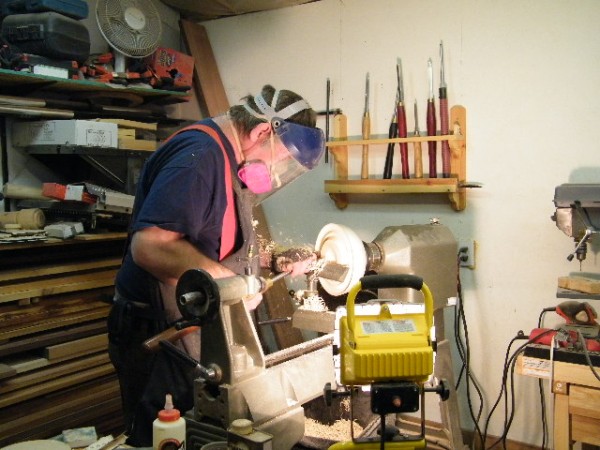
Re: New to wood central
Dale Jablonski
Welcome, hope you find useful and fun information.
Re: New to wood central
Ann Lehman
Thanks,
I was making it too hard, the browse button worked fine. Now I just need to figure out how large the photos in my iPad camera roll and photos library are. The first one I tried returned a 'too big' message.
Looking forward to more interaction in the future.
Re: New to wood central
John Jordan
An easy way to size them on your iPad is email them to yourself, and choose the file size. There's not much control, but its quick and easy.
Welcome.
John
Re: New to wood centrali
Dwight Rutherford
I had the same photo size issues with my iPad. Google "SimpleResize ". Works like a charm. It's free.
Welcome a-"board" !

Welcome, Ann
Ellis Walentine
Nice to have you join our merry band. I think you'll find a lot of good information and helpful folks here.
As for resizing photos, normally that would be done with an image processing application like Photoshop, but if you don't use one of those applications, there are a lot of very simple programs available for free that enable you to dump your photo(s) into a folder, select a resizing option, and press a button to create a resized version of your original. Dwight has suggested SimpleResize, which sounds like just the ticket if you're on a Mac platform. Try that and see if it works for you.
If you have a pretty fast connection, you can also take advantage of many online resizing utilities that let you upload a big image and resize it to a smaller one for free. These don't require you to install any applications on your computer.
We are all looking forward to seeing more of you and your work (and your questions and good cheer). Welcome to WoodCentral!
Ellis Walentine, Host

Welcome! Do you have a non-electric lathe?
Re: Welcome! Do you have a non-electric lathe? ;
Ann Lehman hmmm. I don't know if there is a gas lathe. Roy Underhill probably has a treadle lathe but that would sure be painful. Nope, just two of them that plug in.


