Home Articles Forums Gallery Marketplace Videos

WoodCentral Forums

Knowledge You Can Build On — Est. 1998

VPS-Level Performance. Fully Managed. No Hassle.

Posting pics

Posts

Posting pics

#1

Posting pics

Mac Ray

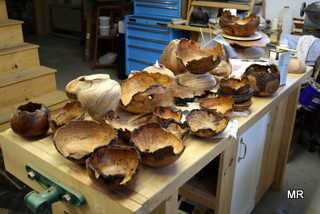
I have some pics of turnings on my computer,but they are not anywhere that I can get them on the internet...at least not any place that I know how to retreive them....When I try to post a pic on here,it asks for a link to someplace on the net to access the pic,is there a way to access a picture from my computer without having to know a link on the net ( their url)? I'm not what you would call a WHIZ on this thing.If there was a browse button like on some other sites,I might be able to handle it........any help out there? Thanks Mac
Re: Posting pics

#2

Re: Posting pics

adrien

when you click on "post new", at the top of the frame is a blue button: upload embedded file". Click on browse and then the file you wish to show. If you click on the blue button to the left, you'll get the file size limits.

Re: Posting pics

#3

Re: Posting pics

Mac Ray

Thanks....I'll give it a shot.....

Re: Posting pics

#4

Re: Posting pics

del schisler

put them on the desk top as a icon than click on the browse button that will take you to your desk top . than follow the direction's . You shouldn't have any problum's

Re: Posting pics

#5

Re: Posting pics

Mac Ray

I guess you folks are getting a different display than I am...when I go new message,all I get is a prompt to put in an optional URL to access pics on the net....no browse button,no blue buttons on the top of the page,I'm using IE8 ,maybe thats the problem?

Re: Posting pics

#6

Re: Posting pics

Mac Ray

When I go to my profile,then I get a browse button,but not on new messages...strange?

Re: Posting pics

#7

Malcolm Ray

Re: Posting pics

Malcolm Ray

Was having problems with my profile and ID...all is ok now,I guess......posted a pic.....

Re: Posting pics

#8

Re: Posting pics

del schisler

look under subject and you will a line with box's 15 of them now under that is a line that says upload embeded file: now a gray box next to that is a Browse box click on that that will take you to your desk top . Now if it doesn't their is a little drop down arrow in that window click on it their will be another drop down list select desk top now that will be your icon for the pic's you want to list. if you did it right it will say up loading. This is a test i just done

Re: Posting pics

#9

Re: Posting pics

del schisler

I guess you folks are getting a different display than I am...when I go new

message,all I get is a prompt to put in an optional URL to access pics on the

net....no browse button,no blue buttons on the top of the page,I'm using IE8

,maybe thats the problem?

You click on reply button Not the new message? That is where you are doing wrong