>If you told us what software you used to "enhance" the digital image from the camera someone here might have some experience with it and some tips to give you.
My question to you is "What's your expectation?"
If you want a photo with the quality you see in magazines or in books of with photos of pieces shot by a pro in a studio with a $5000 to $15000 camera system and another couple grand of lighting - I'm afraid you've got champagne taste and a beer budget. Publishers want - at a minimum - a 5MB image file, 15 to 20+ MB preferable.
We're seeing a compressed version of the original image file - and maybe on a 72 pixels per inch screen. THEY'RE printing at 300, 600 or maybe 1200 dpi.
If you have PhotoShop, the attached may give you some functions to look into. Not that I copied your image, did the tweeks and saved it as a JPFG file with compression set to 5 to keep the image size down - losing some quality in the process.
Have you given any thought to a new camera? I've owned and played with a lot of digital cameras and they all have done a better job out of the box than what your getting. Usually with the help of Jamie and John folks get it close quickly with one post. Can you borrow another camera from someone to make a comparison?
>I don't know much about digital cameras. I look at your unenhanced picture and I see problems with contrast. I don't know if it is the light or what. I don't really see the image clarity that I would like to see.
The picture below was reduced in size from 2048 x 1536 to 650 x 488. The size before was 831 kb and the size after is 78 kb. The picture was taken with natural light (no flash). The colors are fairly true to life.
>Marc - You definitely are getting better. I have been jumping in and out of your threads over the past few days and I may have missed it, but have you told us what camera you are using and it's characteristics? Your background material seems to have some sheen to it and the embossed pattern creates a Moire effect to some extent. I mixed up some gray paint from ceiling paint and some craft acrylic black and painted an old window blind and it works well. I have built a frugal setup, but some of my best pictures are taken on moderately overcast days outside on a very temporary setup - a piece of plywood on my green bin with window blind draped over a trellis behind the bin. Occasionally I use a piece of foamcore to dodge some light here or there. I have a Canon 800 ES with 12x zoom and a seven year old 3.3 Mp Nikon 995. For this type of photography, I much prefer the old Nikon, but grab which ever one is handy and charged up. Have learned lots from Jamie & John over the years. Keep experimenting and note taking, so you can remember what works and what doesn't.
>That's the typical color Tupperware gets when the sun shines through it. Then "Desert Sand" top looks pretty reasonable as does the onion skin in the bag on the chair. The ginger snaps look pretty true to life.
>Showing our work to its best advantage is being able to take a photo without having to use all of the Photoshopping techniques. Sometimes we have to hire someone who knows how to do that.
>This was done with PhotoFiltre with and an add-on white balance filter. This program is all for free.
If you download 'Photofiltre' (free) (spelling is correct!), you will have a very powerful, easy to use, photo program. After importing an image, right click the mouse, one of the options is 'size'. Increase or decrease in either pixels or inches the size., Next change the number of pixels per inch. Change it to 72.00. This gives good resolution on a computer screen. Also adjust the brightness, contrast, sharpness, etc. When you have the picture looking the way you want, right click again, click 'save as'. It will ask for a destination, I usually save to the Desktop. The image does not go directly to the desktop, instead you get another window which allows you to check and set compression. After setting, click OK and the picture will go to the destination folder. It will still appear in photofiltre. You can click on the 'x' to close the picture.
For posting on WC, a maximum of 800 pixels in width will give a good size for viewing. The file size should be no more than 80K. This is very easily adjusted.
>JL, I enjoyed some of your delish caramel blondies and or the delish butterscotch blondies (Very, very good) but didn't get to meet you at JCC during the Platter class. Hope to next time. I'll be back in Sept for the class with Frank and Gary.
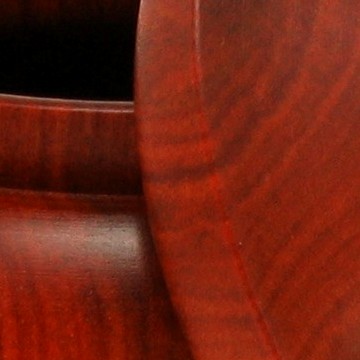
>If you compare the tweeked image I did with PhotoShop and the one you tweeked with PhotoFiltre (sp?) and compare the area at
and to the left of the knot you'll note that the former image has more detail and more color info than the latter. And the former has more detail in the right side of the bowl as well. Also note that the background and pedestal are gone - via gaussian blur after some semi-careful "select" work.
Might be that I've played with PhotoShop a lot and perhaps you didn't spend much time with PhotFiltre. Differences my by experience with the app and time spent tweeking.
Best bet though is to START with a much better quality image.