not for the gallery
John K Jordan
>Dogwood paper towel holders, one from a crotch. My wife wants to ditch the stainless steel one in the kitchen in favor of a more organic look.
JKJ in East TN
Knowledge You Can Build On — Est. 1998
not for the gallery
John K Jordan
>Dogwood paper towel holders, one from a crotch. My wife wants to ditch the stainless steel one in the kitchen in favor of a more organic look.
JKJ in East TN
Re: not for the gallery
Michael Stafford
>I turned several of those a few years ago to give as Christmas gifts. They sure make a practical and attractive alternative to the plastic crap don't they? Of course the built in handle and bludgeoning end are rather intimidating when brandished by an angry spouse.....
Pretty work, John.
Re: not for the gallery
John K Jordan
>What is this "angry spouse" thing of which you speak? We've been married only 38 years, perhaps I shall discover and experience this concept later on.
Oops, gotta run, time for her morning coffee and breakfast in bed ...
JKJ
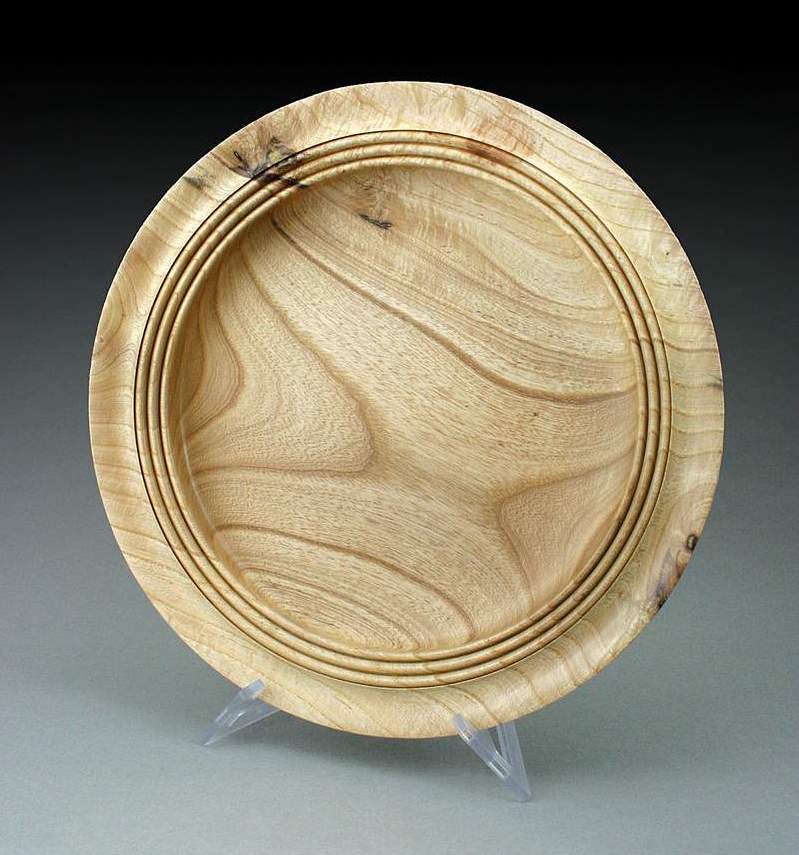
Re: not for the gallery
Ric Taylor
>Very nice John. What software did you use to combine the images?
Ric
Photoshop
John K Jordan
>Ric,
I use Photoshop, the full version. I understand Photoshop Elements has most of the functionality but at a fraction of the cost, free sometimes with hardware. There are other software packages that will do the same, but I haven't heard of any with both the power and flexibility of Photoshop. I bought my copy of Photoshop very early and upgraded it for years, but I quit upgrading at version 7.
Photoshop is the software of choice in the photo world. Funny thing - once on a DPREVIEW forum someone asked the question to the masses - "come on now, come clean, how many of you have actually BOUGHT your copy of Photoshop?", the implication was as opposed to stealing it. Very few responded that they paid money and the few who did were laughed at as stupid or called liars. It's a rough world outside of WC.
Combining pictures like that is very quick once you know how. It usually only takes me a couple of minutes to crop, resize, combine, and add borders or drop shadows, a bit more if I have to adjust the colors significantly. I prefer to post several photos in one image rather than post several individual pictures in separate messages.
I've been using Photoshop for so long operations like that come easily - if anyone wants some direction just ask.
JKJ
Re: Hey John, would you consider ....
Jamie D
>...making Photoshop house calls?? Trying to learn seldom used functions from a book is soooooooo frustrating, and I don't use them enough to remember the tricks from a last session a year or more in the past! That's about the same as always having to carry the instruction manual for our digital cameras!
Re: Photoshop
Ric Taylor
>John,
I do have photoshop (paid-for) and I use it often, but only for a few tasks. Of the thousands of things that can be done with that program, I don't know the steps for combining the images.
Can you briefly list the steps please?
Thanks,
Ric
Re: Hey John, would you consider ....
gary clarke
>Jamie, the instruction book for my digital camera looks like a war zone. I may soon have to buy a new one. Guess I have hear after disease. 8 :)
Re: Hey John, would you consider ....
John K Jordan
>Jamie,
I don't get out much but if I get up that way, I'll let you know! But my earlier offer of hosting a visit from you is always good and can certainly include some Photoshop time. Just don't make me clean up my workstation - I haven't cleaned off the desk in front of my monitors since I retired two years ago!
When I started with Photoshop, I bought several books and read many things on the internet (no way to read them all in one lifetime) AND read through the manuals. I found many little features that even the pros where I worked had missed - things like automatic rotation to straighten pictures and lots of time-saving keystrokes. I still can't remember much of what I learned, things like the wealth of powerful and visually stunning effects you can add to text and graphics. However, I almost never do that sort of work anymore. Some techniques, such as contrast masking, gradient masks, layer operations, perspective correction, and ways to color correct are handy.
I love the capacity of the program - for example, I used to routinely work on 300+ meg files with 20 or more layers when creating large-scale panoramas - we printed these things 10' across and they got a lot of close attention so the detail was important.
JKJ
Re: Photoshop
John K Jordan
>Ric,
The steps vary depending on the effect I'm after, but I can list the basic steps and clarify if necessary. Note that I work with large dual monitors and use the second monitor for the layers palette and various dialogs to keep them out of the way. This makes things a LOT easier, not only for Photoshop but many other programs.
I'll write up some steps and post them in a new thread so it won't be buried here in case anyone else is interested.
JKJ
Re: Photoshop
Russ Fairfield
>Good luck with the stolen, free, and bundled full versions of Adobe Photoshop and Premier. Like the "free trial" version, they are not complete. There is always something missing, and it is usually something important like sound tracks on Premier Elements, authoring and burning a DVD with Premier, or adding text and printing with Photoshop.
The user can get around these missing parts with other software if the files are compatible and they are willing to put up with some inconvenience, and sometimes a lot of inconvenience. If they aren't, Adobe is always willing to sell an upgrade.
unpurchased
John K Jordan
>Russ,
I wouldn't know, I've never used such a piece of software.
It's interesting, though what companies do to combat such piracy. For example, the 3D modeling/animation software for which I used to do tech support had some interesting code embedded.
If it detected a hack to get around the copy protection, some versions would randomly issue a Invalid Normal Array error message or randomly scramble vertices of a mesh. People would write and ask how to fix these. We would tell them to check their system for viruses and reload the software and if that didn't work, call customer support with their serial number. At one convention, we had some Invalid Normal Array hats made up which were a huge hit for those on the inside.
All versions also encoded the serial number into data files, so the origin might be traced if we could get the guy to send a sample a problem file. Some beta testers were "fired" and legal action taken against some job shops for sharing their software. Keep in mind this software was $4000+ per seat and the most widely sought-after package in the field so the incentive to chase it down was significant.
BTW, even the full version of Premier is an evil thing to wish on a poor unsuspecting person.
JKJ in East TN
Re: unpurchased
Russ Fairfield
>JKJ said, "BTW, even the full version of Premier is an evil thing to wish on a poor unsuspecting person."
Yes it is intimidating, but it is an awesome tool once you get it figured out, and use it often enough not to forget. It also does the least damage to the digital image of any PC video software that retails for less than $1000.
Re: Hey John, would you consider ....
Don at Central Illinois
>HELP! Where is 'automatic rotation'? My daughter and I do a lot of weddings and I still have to go through and 'straighten' some photos to vertical for the proofs.
Photoshop rotation aid
John K Jordan
>A little-known feature in Photoshop. It's not entirely automatic, but it can save a lot of time. I used to do twice-annual video reports of a major scientific construction project and I'd have to prepare, straighten, crop, and correct many dozens of still photos.
Use the Measure tool (under the eyedropper) and draw a line that should be either vertical or horizontal in the photo. For buildings and such (my previous primary use), it's easy to find a vertical doorway or telephone pole or whatever. For woodturnings I sometimes choose the horizontal diameter of a wide bowl or estimate the vertical axis of a taller turning.
When this Measure line is in place, choose Image/Rotate Canvas/Arbitrary and the exact angle needed to straighten the image will already be entered in the input box. (this is the automatic part) Press Enter to rotate.
This saves SO much time and straightens in one step. When rotating the other way, I'd usually try it, no, that doesn't look right, try again,... After the first time, it's easy for your eye to be tricked by the angled edges of the image.
JKJ
Premiere
John K Jordan
>>...Yes it is intimidating, but it is an awesome tool once you get it figured out
Actually, what I meant was I thought it was a terrible excuse for video editing software! I didn't have any trouble learning it. I bought a copy when I was doing that kind of work and used it for a while but compared to several other systems, I found the function archaic and the UI obtuse - not difficult to learn as such but difficult to do things efficiently. Historically, Premiere has also been plagued by bugs which drove the user base crazy and required numerous fixes. Perhaps they've got it sorted now.
But you may be right, for the money it's not too bad and will do the job. I'm comparing it to a high-end Avid system we used at work and two hardware-based video editing systems I have on my own workstations - Speedrazor and Velocity. I've done many project with the Speedrazor but don't use it now. The Velocity suite has hardware effects and acceleration, and when used with a jog-shuttle controller editing is incredibly efficient. Velocity plus SoundForge for the audio processing and you've got a professional setup that can compete with the big boys. Set you back a bit more than $1000 though new, but the version I have is older and isn't sold anymore.
Hey, if you do video editing and don't have a jog-shuttle controller, I have an extra one that is programmable and supposed to work with Premiere - it's called the Shuttle Pro. I've never had it out of the box and I'd let it go cheap or for trade and guaranteed to work or send it back. Plugs into USB I think. I think I found it wouldn't drive my video decks directly (important when digitizing) so I never used it.
BTW, I'd be hard-pressed to accept a video editing program that does ANY detectable damage to a video image. Spoiled, perhaps?
JKJ
Re: Photoshop rotation aid
Don at Central Illinois
>John, thanks but I don't have to be that exact. Actually, a lot of our photos are 'off kilter' a bit, for visual impact. We have actions so all I have to do is hit cw or ccw to put the photo in the right postion. Glad I don't have to be that exact.


