>I told you about the trunk full of wood. Well here it is. I got back from Atlanta about noon. I cut up everything and coated some with wax, some with endgrain sealer and roughed out bowls until I couldn't lift my arms. I finish turned two of them. I'm tired but this has been a good day.
>Just looking at what you accomplished has made me tired, good job John. It would be nice to get you to demo at Duck River turners but I don't have any say in it. There isn't any yearly dues so the fee would have to be raised some way for that to happen. Take Care, DonL
>Don I'll call Andy and set up a date. He just came up to our club to do a Demo and I've always wanted to see Jimmy Campbell's shop. I'm cutting back on my long distance demo's. It eats up too much of my personal leave time. They are fun but I desperately needed a vacation and didn't have hardly any leave time left. Some day I'll retire and can enjoy the travel.
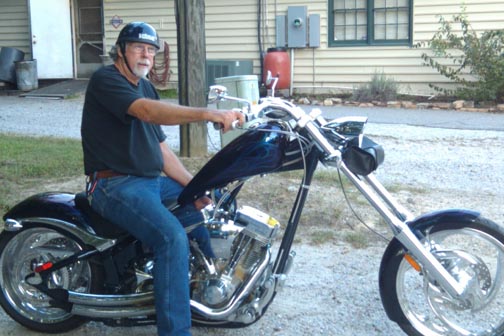
>...wasn't going to hassle you about the color balance error due to your fatigued condition, but if there's orange paint on your shop I will reconsider!
>Yikes, that one would be difficult to correct well due to the saturation - look at the histogram, especially the blue channel!
I took a quick stab at correcting to closer to what wood might look like. I lowered the saturation a little before adjusting levels. It's hard to keep it from looking too green.
Re: Hey JKJ- how do you access metadata.... *LINK*
John K Jordan
>>... for an image posted by someone else?
Jamie,
Everything I know about metadata:
The EXIF data (metadata from digital cameras with things like shutter speed, f-stop, etc) is either there or not. It resides in a data block near the beginning of the file. If it is present, it can be read using File Info in Photoshop, Image Properties in some other software (such as ACDSee), or with a stand alone EXIF reader. I usually use ACDSee since I have it open as an image browser although it is not the best. I occasionally use an older version of the one in the link below.
If the data is missing, the reader will usually indicate an error, leave the fields blank, or omit the metadata option for that file.
If you look at the binary (hex) in an image file, you can find the EXIF tag near the beginning of the file if the data exists. The orange image here contains only the label "Ducky" in that field and doesn't include the EXIF data block. In fact, a couple of recent Lucas images I checked said "Ducky" where one from a few years ago had EXIF data for a Nikon D100. Perhaps this label was added by an editing program.
Some readers are better than others. For example, where ACDSee reports "Flash:0", Photoshop indicates "Flash: Did not fire"; for Exposure Program ACDSee reports "0" where both Photoshop and Exif Reader tell me "Aperture Priority" (I suspect the newer versions of ACDSee are better - I use a quite old version for other reasons.)
I checked a couple of photos you uploaded recently. One indicates it was taken with an Olympus digital camera E-510 and edited with Adobe Photoshop Elements 3.0 Windows. Another lists the camera as NIKON E950.
If the photo is touched by editing software, the EXIF data may go away. Photoshop will generally preserve EXIF data even after editing. Note that Photoshop will NOT preserve EXIF data if you use the "Save for Web" option.
Photoshop will let you add your own metadata but I don't think that includes EXIF.
Note that some camera companies have done strange things with EXIF data fields, loosely interpreting the spec and some readers incompletely interpret that data. A good EXIF reader will be upgraded to properly interpret the fields based on the specific camera and version. I suspect as my software ages I will be unable to read data from some cameras unless they follow the EXIF spec.