Home Articles Forums Gallery Marketplace Videos

WoodCentral Forums

Knowledge You Can Build On — Est. 1998

Combination Press Plough Plane

Old Dog, New Tricks and Inertia

Posts

Old Dog, New Tricks and Inertia

#1

Old Dog, New Tricks and Inertia

charlie belden

>(I'm cross posting this to WoodCentral and rec.crafts.woodturning because there are knowledgable folks who only participate in one of these turning forums.)

When you use a tool a LOT you get very familiar with it - how it behaves in different situations, what you need to do to get it TO BEHAVE, when NOT to use it - and how to get it to do things it probably wasn't intended to do.

I've upgraded my 8 year old Mac G3 to a new Mac Mini and the pseudo CAD drawing program that I've been using since probably 1990 can't be migrated to the new computer. With 18 years of experience with SuperPaint I can practially make it talk - and juggle - while doing cartwheels. If you've been to my woodworking site and poked around you've seen some of my line drawing illustrations. While it's only a 2D drawing program, my high school drafting class gave me enough of the basics to be able to do 2 1/2D drawings of just about anything I can think of - though it can be tedious and time consuming sometimes - an isometric drawing of a through dovetailed drawer being an example of tedious and time consuming.

So now, on the new computer, I'm climbing the learning curve of SketchUp, which is a VERY powerful 3D program, and for turners, the "FOLLOW ME" tool is pretty amazing, letting you "virtually turn" ideas, quickly changing proportions and shapes - and see an idea from any perspective. And after watching hours of web videos on how to use it, and probably 30 hours playing with it, it's starting to become familiar. I can go get the tool or function I need without having to search for it amongst the myriad of menus, pop ups, pull downs and contextual menus. And I'm starting to use keyboard shortcuts intuitively.

BUT - here's the problem. When I go back to my old computer to use SuperPaint because SketchUp doesn't let you combine text and graphics very well - I find myself trying to use SketchUp keyboard shortcuts and techniques with SuperPaint. And when I get back to intuitively working with SuperPaint, then go back to SketchUp, I have the same problem -intuitive things from SuperPaint either don't work in SketchUp, or do something completely different. I can only imagine how tricky life must be for a schizophrenic.

Here's how all that applies to turning. I've been using a small roughing gouge, a couple of curved edge skew chisels, a spearpoint 1/4" parting tool and a 1/16th inch bayonet saw blade I've ground to a thin parting tool (STILL haven't put a "real handle" on it because the wrapped paper towel handle works). I've done a LOT of between centers stuff (every kid I know has at least one magic wand) with these tools and five or six dozen lidded boxes, dozens of plates and bowls and MOST of 20 or 30 small hollow forms, the inside hollowing I cn't do with a 1/2 inch skew being done with an angles carbide cutter silver soldered into a shaft at an angle to allow undercutting.

Now I'm playing with the MiniMonster captured system. Completely different way of doing things relative to the skew and how I used IT to hollow. Because a captured system, by intent and design, limits dynamically changing the angle of the cutting edge relative to the wood it's easy to forget about that - until you go back to turning with a skew. With a skew you're changing the cut constantly and using the bevel to control the depth of cut. I COULD do the skew equivalent of whistling while juggling and doing a cartwheel. But after a few hours with the MiniMonster and then returning to the skew there's some recalibrating necessary before I can get it to do what I want without 15 minutes of Paying Attention.

What use to be Think It - Do It is going back to Think It - Figure Out How - Tentatively Try - Rethink It - Try Again. The flow of things gets interrupted by all that thinking and hesitating - with results that look like the proverbial "horse designed by a committee - the camel".

The MiniMonster is great for the inside of bowls and hollow forms. But there's a temptation to use it for other things, probably things it wasn't intended to do, like the outside shaping. Maybe it's an Inertia thing - keep going with the tool at hand, even when you shouldn't. And when you go back to using the tool you SHOULD use, some of that inertia from the previous tool carries over and gets misapplied to the new tool.

Have you got any tips or tricks for transitioning as you significantly change from tool to tool?

How do you avoid the Inertia Trap - keep using a tool when you probably shouldn't?

charliel belden

Re: Old Dog, New Tricks and Inertia

#2

Re: Old Dog, New Tricks and Inertia

john lucas

>Very interesting charlie. They changed my computer at work from windows to Mac and I'm still struggling.

I see what you mean about inertia and wanting to keep using a tool. Particlarly a captured bar type system because there is a set up/take down time. From a production standpoint I always use one tool until I can't use it anymore and then switch. this has let to some interesting uses. For example I use the rough out gouge as a skew buy using the wings in a skew manor to fine tune the shape of the freshly rouged piece. I even use the wings flat as a sort of parting tool to rough shape tenons. I have learned to turn shallow coves with the toe of the skew. I find this quicker than changing to my really small cove tool. I will often use a bowl gouge instead of a spindle gouge for some operations simply because I already have it in my hand.

Re: Old Dog, New Tricks and Inertia

#3

Dick Hines

Re: Old Dog, New Tricks and Inertia

Dick Hines

>Don't get me started on computers. As for as turning tools I use a bowl gouge and detail gouge for better than 90% of all my turning. The other 10% is my hollowing rig.

With all the tools I have these are my to tools.

Re: Old Dog, New Tricks and Inertia

#4

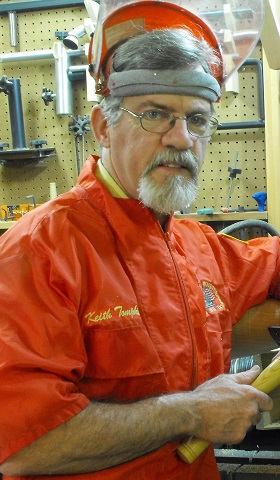
Keith Tompkins

Re: Old Dog, New Tricks and Inertia

Keith Tompkins

>Charlie, you would just love using cad/cam to program a cnc router! I'm a big advocate of practice....as a kid, I could ride my tandem bicycle sitting in the rear seat, no hands. Steer? A little bond english. As I got older, I did't necessarily get any smarter...I practiced riding my Honda 750 (K model) until I could scrape my footpegs on corners at will. Good thing they fold up..that lets other things scrape too! You can probably imagine my tool-handling style....

Re: Old Dog, New Tricks and Inertia

#5

Re: Old Dog, New Tricks and Inertia

Steven Kubien

>Charlie asked, "Have you got any tips or tricks for transitioning as you significantly change from tool to tool?"

Yup, use fewer tools. This way, you have less muscle-memory to build up or spread out over too many tools.

The question of how many tools does one really need comes up from time to time. The majority who take part in such discussions often come up with 4-6 tools they consider their "desert-island" tools. Ok, forget about the myriad of chucks, drives, calipers and such. I am talking about cutting tools here. If you do mostly spindle work, figure a roughing gouge, a skew (or 2), a spindle gouge (or 2 if you must), and a parting tool. If bowls are your thing, a couple of gouges, a parting tool, maybe a radiused scraper and maybe a small skew for dressing tenons. Hollowforms? About the same as a bowl turner plus a hollowing system. Box-makers...I don't know as I have only made two and they went to the proverbial burn pile.

I think we make our turning too complicated by having too many gizmos, gadgets and doohickeys. If you are comfortable using a skew to hollow things out (a fact which boggles my mind and scares the stuff outta me), why go to a new system? You probably have a good reason to do so and I would advocate sticking to the new system and leaving your old methods by the roadside. Your brain can only hold so much info or muscle memory.

As for trying to get a new tool to do something it is not intended to do... This makes me nervous. There are perfectly good tools for shaping the outside of a vase, bowl or hollowform which you are already very familiar with. Why mess with a good thing? Maybe I am too conservative on such things. Maybe I am just chicken. Maybe I will never invent a better mousetrap because the current model works pretty well.

Now then, if a good part of the reason you turn and try different tools is because you like to experiment and play around, be my guest! Just be careful. We all have different motivations and drivers.

Respectfully,

Steve Kubien

Re: Old Dog, New Tricks and Inertia

#6

Steven Antonucci

Overcoming Inertia

steve antonucci

>"An object at rest will stay at rest unless acted upon by some external force." Thank you, Mr. Newton.

I don't really try new tools as much as new ideas with old tools. As an example, I've started finishing the outside of bowls and hollowforms with my skew to minimize sanding. Is this the prescribed method for working with this tool? Nope, but practice makes perfect. As Steve K. mentioned, we have muscle memory. Muscle memory is a very good thing because it gives us the ability to do things without having to learn them every time we try, but it is also important to develop new muscles.

Rather than buy a new tool, try a different cut with an old tool. Costs less, and probably accomplishes the same thing the new tool does.

Steve

Re: Old Dog, New Tricks and Inertia

#7

I have muscle memory-I remember when I had some

john lucas

>

Re: Old Dog, New Tricks and Inertia

#8

Steven Antonucci

Hiking in the Sierra's, I had muscle strain

steve antonucci

>and a steady diet of Aleve. It's funny how our mind remember what we were, and our bodies correct it quickly to what we are...

I had a good laugh, since the soreness has subsided (mostly).

S

Re: Old Dog, New Tricks and Inertia

#9

OT examples of Old Dog, New Tricks and Inertia

Dinyar Chavda

>This reminded me of when I first came to the States from India, where we drove on the wrong side of the road. I didn't have a car, but crossing a street was no longer "Look right, look left, look right again, and then cross if clear" (I was in Philly then, and I quickly learned that the populace considered pedestrian crossing signs as being just a gentle suggestion.) It was now, "Look left, look right, then left again". Not a problem early on, as it was a conscious act, as opposed to inertia. But there was a time interval when I found my subconscious (inertia) was confused between whether it was in the US or in India that they drove on the left! That was a dangerous period, which required even more conscious effort, before it became a correct autonomic response.

Driving in England some years later was also an experience, particularly when it came to making righthand turns--all of a sudden, cars coming towards me were driving on the wrong side! I did get used to it after about a week or so. But one thing that I never got over was looking up to my right for the rearview mirror---and not finding anything there (the driver's seat was on the right, so one had to look to the left for the mirror).

Another thing to get used to--did you know that light switches also were upside down?

Re: Old Dog, New Tricks and Inertia

#10

Re: Old Dog, New Tricks and Inertia *LINK*

charlie belden

>Just to clarify, when I use a skew for the inside of a box, bowl or hollow form I'm using it more like a scraper - flat on its side, long point towards the wood going into a pre-drilled hole to keep the far side of the skew from contacting wood rotating up. To make the transition from side to bottom I angle the skew horizontally and pivot to sweep the long point of the curved cutting edge in an arc across the bottom. The attached url and the next page hopefully illustrate the idea. I wouldn't recommend using this technique for deep hollowed pieces, but it works pretty well on shallow (3-4" deep inside) lidded boxes and bowls about the same depth. A curved rather than a straight edge on the skew has been the key for me since I don't normally do square corners.

The reason I've added a captured system for hollowing is for the laser option - to reduce blowing through the bottom of something I've spent an hour or so on. Since narrow opening hollow forms reduce the importance of a nice finish INSIDE - beyond where a finger can reach (probably wood turners are the only people who would try) - a captured system makes the "less creative" work on a piece quicker and easier.

But back to the advantages of Do A Few Things Really Well / Use A Few Tools And Use Them Really Well - the two seem to go together. By using a few tools for just about everything, the muscle memory remains fresh and ready for Think It - Do It type turning. This allows for changing an iniitial idea based on what you're seeing as you turn - Design On The Fly.

However, to end up with a nice piece using the Design On The Fly approach, rather than a draw it all out and work out the proportions and details on paper FIRST, you also need some other skills - a "sense of proportions", the ability to see a "fair curve" (compound curves with smooth transitions) and a "mental library of shapes and forms".

To Design On The Fly - it's that "mental library of shapes and forms" that's probably most important. By looking at, and perhaps examining, a LOT of turned piece, or just shapes in general, noting what you DO and DON'T find appealing, you begin forming a set of Looks Good To ME ideas for future pieces. When, during a Design On The Fly sessions, THIS particular chunk of wood and how it's working may connect with something in the "mental library of shapes and forms" - THEN - things can "just seem to happen" - without much, if any, thinking at all - Just So.

Maybe it might be better to get really good with a FEW turning tools, despite all the NEW - AND - IMPROVED! tools the tool makers bombard us with.

But some of the new stuff looks so cool - and seem to make doing some tough stuff or tedious stuff so quick and EASY- and maybe safer!

The reality, with some exceptions of course, is that if you learn to use what you already have and exploit those capabilities, there really isn't much benefit to getting the New AND Improved version of a tool you already have.


Skew On The Inside As A Scraper

Re: Old Dog, New Tricks and Inertia

#11

Re: Old Dog, New Tricks and Inertia

Russ Fairfield

>Seems to me that being able to do a lot of different things well, and being able to do them with a lot of different tools that we can use well, will make us a better woodturner with the ability to turn a lot of different things. The only way I know how to do that is spending a lot of time at the lathe doing a lot of different things, and practicing them until we can do them well. There is no shortcut, no amount of talking about it, and nothing we can do with a computer, that will substitute for time spent at the lathe turning wood. Enjoy the journey.

Re: Old Dog, New Tricks and Inertia

#12

Re: Old Dog, New Tricks and Inertia

Steven Kubien

>"But some of the new stuff looks so cool - and seem to make doing some tough stuff or tedious stuff so quick and EASY- and maybe safer!"

Yup, some of the new stuff certainly does have a "cool" factor built in and lasers are part of this category for me. My hollowing rig (Jamieson) is laser-enabled and thank goodness for that. I cannot imagine riding my lathe ala D. Ellsworth besides I doubt it would take the weight!

I now see how you use your skew for hollowing. Still looks kinda scary but perhaps something I may try when I am wide awake and 100% devoted to the piece at hand.

Cheers,

Steve

Re: Old Dog, New Tricks and Inertia

#13

Brad Vietje

Re: Old Dog, New Tricks and Inertia

Brad Vietje

>Hey Charlie,

Interesting ideas here, but a skew is not as useful for this operation as a scraper.

I like simplicity, and mastering a few tools is probably better than being barely proficient with too many. Then one can master new tools as they are needed, but I would consider both the skew and box scraper essential tools for box making. If you check out a Raffan video on box-making you can see much of this, especially a rapid and easy way to drill the depth hole at center w/out setting up a Forstner bit in a tailstock drill chuck, which is too slow and difficult for my money. I often use a spindle gouge on its side to hog out boxes (or the back-hollowing technique), but when I drill 'em its a 3/8" or 1/2" drill bit held in vice grips -- very simple, very easy, very fast, and very no-tech.

Safe spinning,

Brad Vietje

Newbury, VT

Re: Old Dog, New Tricks and Inertia

#14

Re: Old Dog, New Tricks and Inertia

don lewonczyk

>You could end up like the Crocodile Hunter ( no disrespect intended to him or family) he was an old dog learning new tricks, that was his first and last underwater dive. Sometimes your just better off doing what you do best with what you are familiar with. Personally I thought he was crazy doing that stuff and he had big brass ones for sure, he did something 99% of us wouldn't try. I guess this is a little off the subject but what im saying is old dogs get to be old because they don't try to learn new tricks. DonL