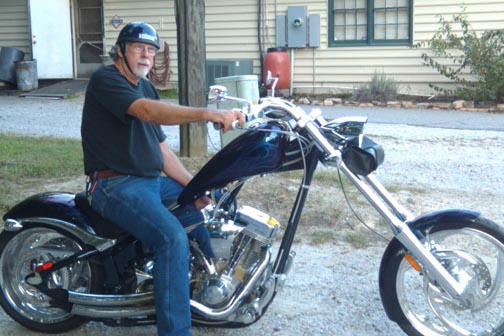
>Ellis, I have only posted one or two pictures. Over on the flat side a few days ago I posted a pic of a snake that joined me in my shop. I took it at 1.1 mega pixels and posted it as a "thumbnail" of about 18k. It appeared about an 1 1/4 square. I went back and fiddled and cropped and used either 25% or 50% and got it up to about 38k. Several times it was rejected because it was over 40K. It came out about 1 1/2 by 2 on the screen the second time. (I wanted the snake to appear to be an Anaconda, I swear that's what it looked like to me.) I understand we have more K's on the round side, and well we should,and I'm not good with the pic's, but there you have it. My question is how do you get the picture to fill the screen?
>He's over on the flat side (messages). Three or four days ago. I was making parts for a planter and left some of them clamped up in my shop to dry. Came back the next morning and started removing the clamps before I realized he was not a band clamp. It's a black snake about four feet long. I carried him out side on the piece of wood and then herded him across the yard with a stick. Wanted him out in the flower beds, not hanging out in the shop. I'll try posting him here.
>Read through the FAQ's, Barry. I think we've laid out several lengthy procedures. I will try to address your question personally if/when I can take care of the other glitches with posting....
Basically, resize the image to the desired number of pixels first, then process it to reduce the file size. I've been making pictures 400-600 pixels across, but you can go wider. If you go wider, someone using a graphics card set to a low resolution may need to scroll to see the entire photo (and read the text above). However, most people are using higher resoultion screens/cards these days.
To size an image, some photo applications use an Image Size or Resize command while others use the term Resample. If it is a option, be sure to maintain the image aspect ratio while resizing.
Always ignore any DPI values, or if you can't in your software, multiply the DPI by the width in inches to find the actual number of pixels across.
To get the right file size for uploading, save from your image application as a JPG and vary the compression amount. This is sometimes called "quality" or "compression level". Photoshop uses a Quality number from 1-12 where the smaller the number, the smaller the file size. PaintShopPro uses a Compression number from 100-1 where the bigger the number the smaller the file size. Remember that a K (kilobyte) is actually 1024 bytes of data, not 1000 bytes.
A big photo (lots of pixels) will be harder to compress than a smaller one, so if you have trouble with one 800 pixels across, try changing the size to, say, 700 and try again. In addition, you can often crop the photo to remove unnecessary background and get a much smaller file size without compromising the photo.
Note that some photos will compress far more than others. The difference is in what is sometimes called spatial frequency, or simply "detail". The more tiny detail in the photo, such as a background of trees or a piece of wood with grain, the harder it is to compress to a small file size. Large areas of the same or nearly the same color (such as white or colored backdrop paper, sky, or painted wood) can be compressed more easily to give a smaller file size.
Note also that the more you compress the image, the worse the quality will be. This doesn't usually matter much for web display but high compression may cause ugly visible image defects (called compression artifacts) around edges and in smooth gradients.
BTW, the way I process images is very easy but I use Photoshop which costs as much as a small lathe. After sizing, I use the Photoshop "Save for web" command that lets me type in the desired maximum file size (40k or 80k). Photoshop then automatically compresses the image as much as necessary - no guess, no trial and error. Sorry, but I do not know if this command is in all versions or just in the full-blown professional version of Photoshop.
PS, what would be great is a processing routine option built into the message board image upload that would automatically slash the image size or file size as needed. I've visited some forums that would automatically adjust the image size of a uploaded photo. I have no idea if that is possible here.
>Thank you John, Really, but you are making my head hurt. By the time I read your explanation over and over, I'm not sure its even in English. Not your fault, but it sounds like the Whaa, whaa, wha you hear when the parents talk in the Muppet's cartoons. Or is it Charlie Brown? I have a large lathe I would trade for that software that does it automatically. I will donate it to WC if they can make the function automatic. I'm too far behind the curve on this to catch up soon, but thanks for trying.