Posting multiple pics in a post.
Scott Burr in Ben Lomond CA
>Can someone point me to a tutorial or explain how to do it?
Thanks!
Knowledge You Can Build On — Est. 1998
Posting multiple pics in a post.
Scott Burr in Ben Lomond CA
>Can someone point me to a tutorial or explain how to do it?
Thanks!
Re: Posting multiple pics in a post.
Andy Lincoln,in Dearborn MI
>Scott,
As you may or may not know in order to post multiple pictures into a single post the photos have to be stored somewhere on the web other than WC.I use Picasa Web Album from Google,it is free.You may have to spend a few minutes registering/signing up for an account.I have one because I fequently use Gmail from Google.I currently have several albums and multiple pictures and I am only using 1% of my allotted free space.
The upload tool is easy & intuitive to use.after creating an album,select the album you wish to view or link pictures from with each pic there on the right side tool you will see an option to "link to this photo" or to "embed image" to post multiple pictures use the embed image copy(ctrl+c) and paste(crtl+v)the HTML text in the box thatstarts with"
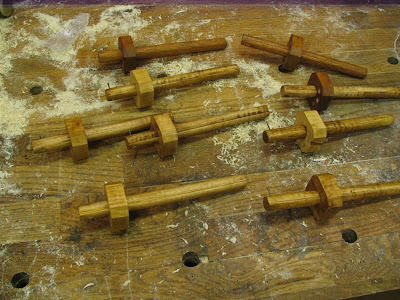 |
| From Marking Guage pics |
You will then see a bunch of text that begins and ends with "< >"
while creating your posting you will not see the pics until you preview the message with the preview message button.
Here is the same image posted as original size 800 pixels:
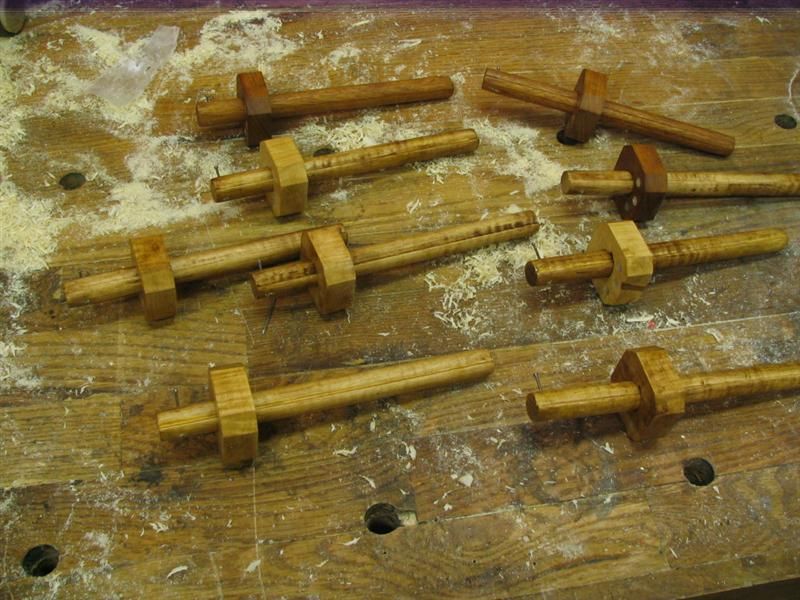 |
| From Marking Guage pics |
Note depending on your camera the pics can be quite large and I suggest to resize the images to something like 800x 600 before uploading to Picasa.Microsoft has a power yoy for XP that resizes pics with a single right click of a mouse(very easy) If you are using Vista there are image resizers out there that you can also download for free that work just as easily.
Scott,if you think you need more help with this send me an email with your phone number and we can work together over the phone to help resolve your issues.If you are using a Microsoft based computer I should be able to connect remotely and work it through.
Andy
"yoy: should be "toy"oops
Andy Lincoln,in Dearborn MI
>
Posting a slideshowTEST
Andy Lincoln,in Dearborn MI
>Also available on the Picasa Web Album is the ability to embed a
slideshow into your message such as this album:
This is my first attempt at this so hopefully it works correctly.
Andy
thanks Andy, I'll give it a try
Marv
>Picasa is a great free program, I use it all the time.
I copy and pasted into the Optional Link URL
Marv
Re: thanks Andy, I'll give it a try
Marv
>It didn't work...hrumph
Re: thanks Andy, I'll give it a try
Andy Lincoln,in Dearborn MI
>Marv,
You will want to post the HTML Language(that is what you should copy and paste) directly into the message box not in one of the "optional" boxes down below.
Andy
Don't forget to check the faq
Alan DuBoff
>Scott,
Don't forget to check the faq also...
You will find:
Q: How can I upload multiple photos in messages?
you can use href for an HTML link as well, I am adding some spaces so it doesn't function, but take out the spaces between left angle and a, as well as around the equal sign. It needs to be proper HTML, if that makes sense. I like to put quotes around the URL, to be safe. Close up the closing a block on the end, no spaces.
< a href = "URL" > Text < / a >
You can put an image in there by inserting the following for the Text:
< img src = "http://www.domain.com/imagefile.jpg" >
So, for instance: (close up spaces for functional code)
< a href = "http://www.coolstuff.com/scottb/" > < img src = "http://www.domain.com/imagefile.jpg" > < / a >
Second try Disston No.9 restored
Marv
>
Re: thanks Andy, I'll give it a try
Marv
>Thanks Andy,
Next time I'll chose a larger slideshow size for bigger pictures.
Marv
Re: thanks Andy, I'll give it a try
Andy Lincoln,in Dearborn MI
>Yes meetoo Marv.I saw that option after making the post.
Nice looking saw.
Andy
Just a couple of things
Dan Donaldson
>If you do a preview, the pictures will sometimes get lost. Do the preview, then use the back button to get back to the original post and post from there. Also, make sure that you get the actual address of the picture and not the page it is on. There is some information about picture posting on the FAQ page.
Re: Second try Disston No.9 restored
Wiley Horne--So. Calif.
>Fantastic saw, Marv!
Working on any now?
Wiley
Re: Second try Disston No.9 restored
Marv
>Thanks Wiley,
I have several in process, never quite sure which one will get done first. Probably an adjustable back, Geo. Bishop DT/tenon saw with rip teeth on top and crosscut on the bottom edge of the blade.
The No.9 in the slideshow has a new upper horn that I'm quite proud of. That saw is the same as the Disston No.12 minus the wheat carving.
I sold it on eBay and it went for half of what it was worth.
Marv
Nice repair indeed on that handle
Bill Houghton, Sebastopol, CA
>When you mentioned your repair to the upper horn, I went and looked at the slide show again - it takes a bit of looking to spot the repair work. Nice stuff.
Re: Posting multiple pics in a post.
Victor Parisian
>Thanks for bringing that up. I need some tutorials myself.
It appears your post got HiJacked. Nice saw etc there.
Victor - closing it up for the night.
Bishop convertible...
Alan DuBoff
>Marv,
I have a minty Bishop which Simon Barley "brought back home" to America when he was visiting...:-)
Interesting saws, not extremely popular, but very useful to keep in a toolbox, actually.
Cheers,
Alan
OK, OK... You all are having WAY too much fun!
Scott Burr in Ben Lomond CA
>I see I have a LOT to learn here. My brain hurts...
Umm, Yea, OK. Thanks all, I think...
Scott Burr in Ben Lomond CA
>Sound a bit confusing to me, but that's nothing new. I'll start playing around. Thanks for all your help!
A little knowledge IS dangerous...
Re: Bishop convertible... *LINK*
Marv
>Saw friend of mine in Hawaii sold a Disston, similar to the Bishop, last week for $155 that he restored. The Disston design allows for easier adjustment due to not having the teeth at the toe end of the blade.
Hard to say why this saw wasn't/isn't more popular.
You have a very nice looking Bishop there, much better condition than mine.
Re: Bishop convertible...
Alan DuBoff
>Marv,
That's pretty cool, I've never seen the Disston, although seem to remember that Disston bought Bishop (i.e., few companies they didn't buy).
The convertible is a practical design to have in a toolbox.
Not a bad saw. Feels a bit odd at first, but gets the job done.
Cheers,
Alan


