WoodCentral Forums

Est. 1998 — 27 years of woodworking knowledge

resizing pictures for uploading to this site

Posts

resizing pictures for uploading to this site

#1

resizing pictures for uploading to this site

Derek Cohen (in Perth, Australia)

>I thought that I might share a method that I have "discovered" that enables me to resize pictures more easily for uploading to this site. I'm sure that this is not news to most of you, but it may be helpful to those moderately-challenged individuals like myself. I recall that this topic comes up every now-and-then. Hey - just remember - I'm far from being an expert here. Just adding a non-technical solution. I'd love to hear of the methods of others.

The limiting factor here is the 40 kb picture size. Although I have Photoshop Elements (a cut down version of Photoshop), I was finding that I lost large amounts of detail when I reduced the file size. Pictures direct from my digital camera would become files of about 750 kb. Cropping would help, but still the detail would be lost when the picture was reduced in size.

Recently I have been opening up a blank page in Microsoft Word 2000, then inserting the picture(s) in question. This is then saved as a .htm or .html document. The pictures so inbedded are saved separately on the computer (they are associated with the file). Typically, a 750 kb picture reduces to about 16 kb. Importantly, it retains all the original detail. You can manipulate the picture to be larger or smaller, so getting it close to the 40 kb limit.

This takes a little longer than Photoshop but it works for me.

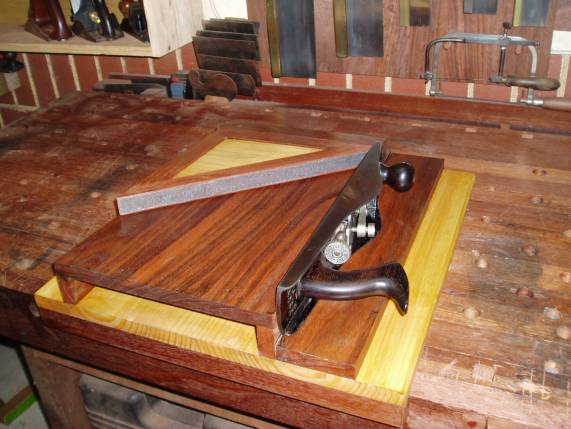
The attached photo began as a 870 kb file.

Regards from Perth

Derek

img

Re: resizing pictures for uploading to this site

#2

Re: resizing pictures for uploading to this site

Dave (Arlington, VA)

>Derek -

I think we'll be getting a digital camera soon. So, hopefully I'll be incorporating some pics in future posts. But, like you, I am somewhat computer challenged, so I very much appreciate the tips. I'll have to give this one a try once I get things up and running.

Thanks -

Dave

Re: resizing pictures for uploading to this site

#3

Re: resizing pictures for uploading to this site

David Miller from Iowa

>Thanks from me also - I never could figure this out. Now I need to figure how how Bob Smalser can get his tomes down to 40KB:)

Re: resizing pictures for uploading to this site

#4

Re: resizing pictures for uploading to this site *LINK*

Tim Caley - North Little Rock

>I just tried this it works great. I put a picture in a message on the main board. Went from 191K down to 40K.


http://www.woodcentral.com/cgi-bin/messages.pl?read=191586

Re: resizing pictures for uploading to this site

#5

Re: resizing pictures for uploading to this site

Bill Houghton, Sebastopol, CA

>Thanks for the tip, Derek. I'll have to try that next time I'm posting a complex picture.

Nice driveby gloat, by the way.

Re: resizing pictures for uploading to this site

#6

Re: resizing pictures for uploading to this site

Dan Donaldson

>Bob doesn't have to. He links to an external site and that way there are no restrictions on size or number of pictures. Anyone can do the same, but it requires that you have a webpage somewhere.

Re: resizing pictures for uploading to this site

#7

Re: hopefully simple explanation

paul womack

>No need to go all around the houses.

We're talking about JPEG pictures here.

Only 2 things affect the file size.

number of pixels


The more pixels you have on each side, the larger the file will be. Number of pixels is pixels across multiplied by pixels down (it's a rectangle!).

compression


This is effectively how tight the picture is crunched. This is what generates fuzziness and those nasty little "square" artefacts.

Suggestions for picture processing

I can't tell you the exact commands, since programs vary. This principles are good, however.

Crop

Remove all extraneous detail; if it's a picture of a plane on a table, we don't need to see loads of table. Crop away anything that isn't "the main point"

Scale

Now go to "resize" or "sample" or whatever it's called. The current width and depth in pixels should be displayed somewhere. Set the bigger one to 500, and hit OK. This should re-sample the image, so it's 500 pixels wide (or deep).

Check that this stage has done what you expect, You should now have a lot less pixels.

save-and-compress

Now save the file as a jpeg (if it wasn't already). You want to use the least compression (crunching) that gets the file size down to the target, since the crunching degrades the appearance of your picture.

Most good applications will show the file size interactively as you alter the compression number. You're aiming for 40K.

BugBear

Re: resizing pictures for uploading to this site

#8

Irfanview and PIXresizer

Tony Sade (Charleston, WV)

>www.irfanview.com;

http://bluefive.pair.com/downloads.htm

I use both of these. Lots of additional features, but they'll both do what you want. HTH, Tony

Re: resizing pictures for uploading to this site

#10

Ellis Walentine

Re: hopefully simple explanation

Ellis Walentine

>Thanks, Paul. I think we should excerpt your comments here and post them as an FAQ.

Ellis

Re: resizing pictures for uploading to this site

#11

Re: hopefully simple explanation

Derek Cohen (in Perth, Australia)

>Bugbear

Your comments are spot on (even I recognise what they mean!). However, attempting to apply them with Photoshop just did not work out as well as my current method (which is actually easier than my description). I'm sure that I am doing something I ought not do, or not doing something I ought do, in Photoshop (and a few other similar programs), but I just can't get it right. Hence my alternate method. It is simply one that permits one-click re-sizing.

Regards from Perth

Derek

Re: resizing pictures for uploading to this site

#12

Re: hopefully simple explanation

paul womack

>I'm sure that I am doing something I ought not do, or not doing something I ought do, in Photoshop (and a few other similar programs), but I just can't get it right.

Which part of my "3-step program" didn't work for you? I'll try to help.

I was trying to give general instruction that would be applicable to most software - digicams come with a wide range these days, and there are many free-standing programs, which vary with operating system, so I avoided being over specific.

Understanding beats knowledge every time.

BugBear

Re: resizing pictures for uploading to this site

#14

Re: resizing pictures for uploading to this site *LINK*

Gary Bingham

>If you are using windows xp, there's a very simple way to resize pictures that doesn't require any extra programs. At the link below, download image resizer, and install it. Then you just right click on the picture, hit "advanced" and select "resize pictures". Select custom and enter 480 for the first number. It only takes a few seconds, will get almost all pictures under 40k at 480, and it's as easy to do 20 pictures as it is one.

For example, here's a pic that was 1.12mb before, and is now 30.6kb after. It took me less than 5 seconds to resize.


img

powertoys

👍 This page answered my questions

Your vote helps other woodworkers quickly find the answers and techniques that actually work in the shop.