Home Articles Forums Gallery Marketplace Videos

WoodCentral Forums

Knowledge You Can Build On — Est. 1998

Compare cordless drills on the numbers that matter

Uploading a pic

Posts

Uploading a pic

#1

Uploading a pic

Terry Alexander

I have embedded pics in my posts before. Today, I chose a file to embed and it inserted a link instead of the pic.

Q: Has something changed here at WC? (I haven't posted a pic in probably over a year).

OR

I am doing something "stoopid".

Thanks in advance for your assistance.

Terry Alexander in West Texas

Re: Uploading a pic

#2

Alan Young

I memorized this code a while back

Alan Young

Type in this code:


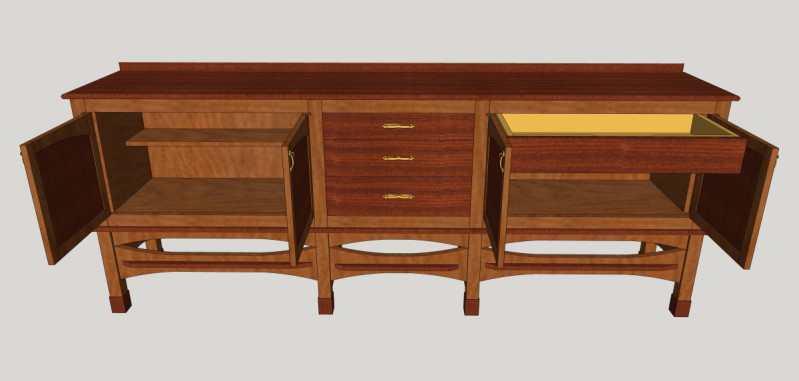
Then paste between the quotes the image html location. For example this picture from my web page showing a recent drawing:

http://www.woodwardwoodworks.com/ADAMALEXISSIDEBOARDFINALOPEN1.JPG


hit preview or post and and you'll see your image:


Re: Uploading a pic

#3

Ellis Walentine

Nothing has changed

Ellis Walentine

The link that shows up in the message text box when you "Choose File" says that our system has received your photo in good order and will display it inline with your text when the message is read. You can hit the Preview button, if you like, to make sure.

The HTML advice that Alan posted will work fine if the photo you want to post has a URL. If it's just a file somewhere on your computer and not on the web, you want to use the "Choose File" button. That uploads your image to our server.

Try it again and send me a note if you have further questions. Don't forget that we have a 100Kb file size limit on photos.

Ellis

Re: Uploading a pic

#4

Re: Nothing has changed

William Duffield

NB: The 100K file size limit is for photos uploaded from your PC using the "Choose File" button. There is no file size limit on photos linked from the internet, either using the code Alan provided or using the "Optional Link URL:" field under the text field.