Playin' With A Laser - Session 2
charlie belden
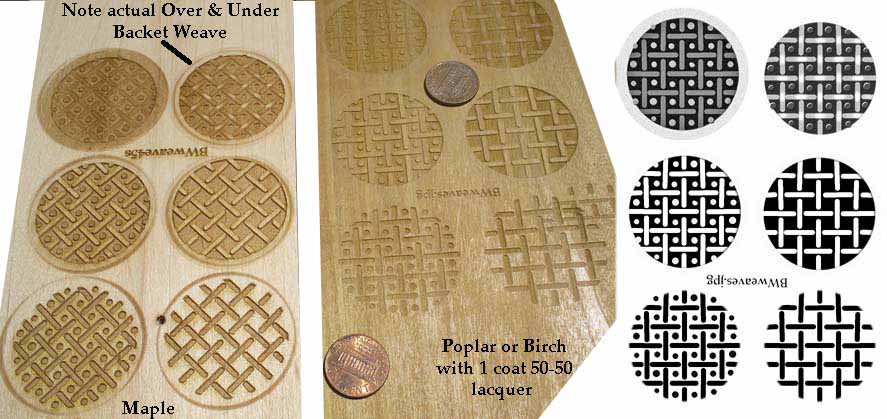
So last nite, and into early this morning, I DREW - on a computer - using PhotoShop - a basket weave pattern, basically like I would with a straight edge, chisel tip felt tip pen and a cone shaped tip Sharpe pen - basically a black on white drawn pattern.
Made a copy of the original, and "erased" some of the black - shading back from white at the middle of the weave's overlap back to black where one "cane" when under another to get a 3D look - pretty much like I would do if this were a pencil and paper drawing.
Added some hand placed dots in the space framed by the "cane" - again similar to making dots with a Sharpe pen. Included different dot sizes ala what you can get with a Sharpe by changing the pressure on the tip - and even did some "go back and try and fix" a few mistakes.
Made "negative" copies of what I'd drawn in black and white, put everything together in one image - just like cutting and pasting several drawings on to one piece of paper - and saved the results to a USB Flash drive.
Got the The Sawdust Shop where the laser engraver resides around 11 am, turned everything on, set up the image on their computer and set up the laser for my wood sample. Two hours later I had three "get to know the tool" samples - and notes on what I did to get them.
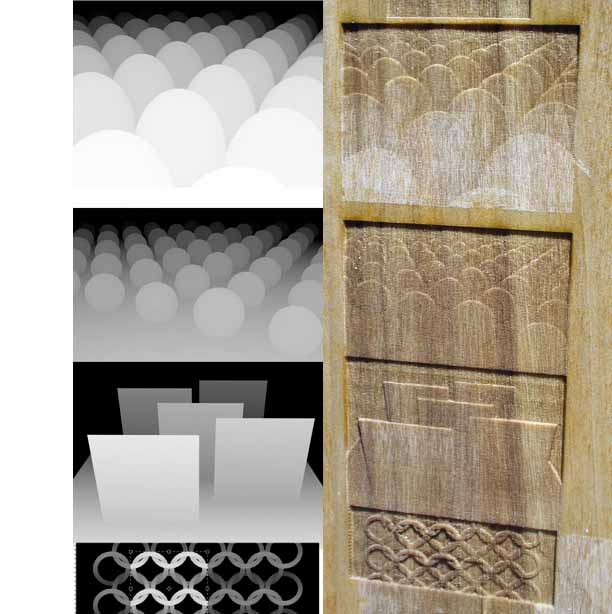
Here's picture of two of the three test samples. The gray scale 3D low relief carving in the lower left does have actual Over & Under - and a texture that looks sort of like a fabric weave.
Forgot to take individual pattern samples to try on a curved walnut sample turning I did. That will be the goal for Session 3. Got my digitizing/drawihng tablet and pen back so I'll be doing more sketched designs before next session.
Questions, comments, suggestions for designs etc.?